


The morning after a hailstorm, measuring roofs is rarely what holds a contractor up. The holdup is everything around the order: who's allowed to place it, which report each lead needs, what the first caller was asked, and whether anyone remembers the login. Those are setup decisions. They're a lot easier to make on a slow week than with a full voicemail box.
This guide covers how to get aerial roof measurements ordered cleanly when storm volume hits: who orders, which report fits which lead, what to capture on the first call, what happens when trees hide the roof, and what still needs eyes on the property. It ends with a checklist you can work through this week.
Why does storm season expose your ordering process?
On a normal week, one person in the office can handle every report order without much thought. After a storm, the leads come in faster than that person can work, and every gap in the process shows up at once.
The common ones look like this:
- One person holds the login. Sales reps in the field wait on the office to place orders.
- The first call misses details. The order goes in with an address and nothing else, and someone has to call the homeowner back.
- The wrong report gets ordered. A job that needs gutters or siding gets a roof-only report, and the order has to be placed again.
- Nobody has set up the integration. Measurements get re-keyed into the CRM or the claim by hand.
None of these are measurement problems. They're setup problems, and every one of them can be fixed before the season starts.
Who on your team can order a report?
Decide who orders, and make sure each of those people can do it without waiting on someone else.
For most shops, that's the office manager plus anyone who takes leads in the field. Ask your account manager to get each of them set up to order, and make sure they know the ways to do it:
- Online, through your RoofScope account.
- By text. Once your account is active, Text-to-Scope lets someone in the field place an order by text message with just the property address.
- Inside the software you already use. If you work insurance claims, you can send a request to RoofScope from inside Xactimate, and the report comes back into the project.
If your CRM or claims software connects to RoofScope, set that connection up now. It's an easy job on a quiet day and a real distraction in the middle of a storm response.
Which report does each type of lead need?
Set a default report for each kind of lead, so nobody has to decide on the fly.
- Retail reroof. A RoofScope report covers squares, pitch, and the length of every eave, rake, ridge, hip, and valley. That's what sizes the roof order.
- Roof plus gutters or siding. If storm damage reaches the gutters or siding, order those measurements at the same time instead of going back for a second report. You can see every report type, with a sample of each, on our exterior reports page.
- Insurance restoration. If the adjuster works in Xactimate, order through the integration so the measurement package lands in the same project.
Write the defaults down where the people taking calls can see them. A one-line rule ("hail claim with gutter damage gets roof and gutters") saves a reorder later.
What should you capture on the first call?
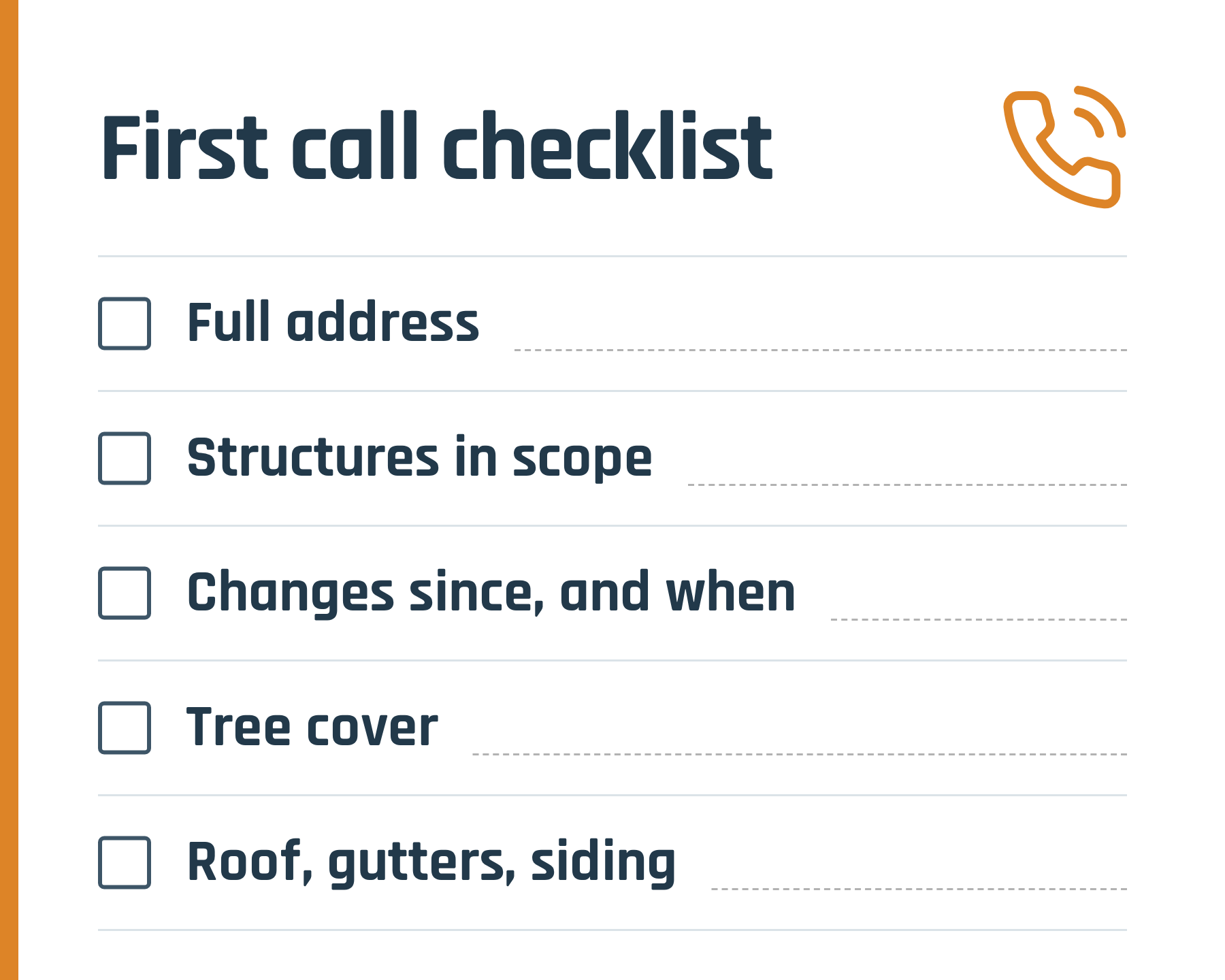
An order needs the property address. A few more details on the first call keep your team from calling back for them.
- The full property address, including unit or lot numbers on rural properties.
- Which structures are in scope: the house only, or a detached garage, shop, or shed too.
- Anything added or changed, such as an addition, a new dormer, or a recent reroof, and roughly when.
- Whether trees cover the roof, and on which side.
- What's in scope: roof only, or gutters and siding as well.
Aerial imagery is a picture from a specific date. If the homeowner added a room last spring, the imagery may not show it. That's why our team asks what's changed since the image was taken instead of assuming the roof in the picture is the roof on the property today. If you capture it on the first call, nobody has to ask twice.
What happens when trees hide the roof?
Storm leads don't come from open, treeless lots only. Plenty of them sit under mature trees, and trees hide the parts of a roof that matter most: eaves, hips, valleys, and gables. The middle of the roof is usually visible. The edges and transitions are what disappear.
Here's how we handle those jobs:
- More than one view. We look through imagery from multiple sources and multiple years to find the clearest view of the roof, often from late fall or winter when the leaves are down. There's no fixed lookback window.
- A person picks the imagery and draws the roof. Every report is drawn by our CAD team.
- Photos only when they're needed. Most wooded jobs don't need anything from you beyond the address and what's changed. If we do need a photo, we'll ask for something specific.
- An honest decline. If a roof can't be measured, we decline the order. Across all properties and conditions, our decline-to-measure rate is under 1%.
Every report comes with a 99% accuracy guarantee, whichever imagery date it was built from. For the full detail on wooded properties, see how roofs get measured under heavy tree cover.
What should you still check on the roof?
A report measures the roof's geometry. It doesn't replace the inspection, and on a storm job, the inspection is the job.
Aerial imagery sees the top surface. It can't tell you how many layers of shingles are on the roof, what the decking looks like, or how bad the hail damage is. Those still need someone on the property. For a fuller breakdown, see what's in a roof measurement report, and what isn't.
Every RoofScope report carries the same reminder on its first page: "Verify all dimensions and totals before purchasing materials." In storm season, when materials are tight and orders are large, that check is worth the few minutes it takes.
Once the measurements are in hand, the report sizes the order. If you're turning squares and edge lengths into a material list, our guides on how to measure a roof for shingles and setting waste line by line walk through it.
Your storm-season readiness checklist
This week:
- Everyone who orders reports is set up to order.
- Field reps know how to order by text with Text-to-Scope.
- Your CRM or Xactimate connection is set up and tested.
- Each lead type has a default report, written down.
- Your intake script asks for structures, changes, tree cover, and scope.
- You know your account manager's name and how to reach them.
When the phones ring:
- Capture the details on the first call, not the second.
- Order every measurement the job needs at the same time.
- Flag tree cover and recent changes when you order.
- Inspect the roof and verify the numbers before you buy materials.
Common questions
What are aerial roof measurements?
They're measurements of a roof's planes, pitch, and edges taken from overhead imagery instead of from a ladder. A RoofScope report is drawn by our CAD team and lists squares, pitch, and every eave, rake, ridge, hip, and valley length.
Can a roof be measured if trees cover it?
Usually, yes. We look through imagery from multiple sources and years to find a clear view. Across all properties and conditions, our decline-to-measure rate is under 1%.
Can I order a roof report by text?
Yes. Once your account is active, Text-to-Scope lets you place an order by text message with just the property address.
Do I need to send photos of the roof?
Usually not. We ask for photos only when they're genuinely necessary, and we'll tell you exactly what we need.
Get set up before the next storm
The best time to sort out logins, report defaults, and integrations is before the first big call day. Book a time with our team, and we'll walk through your account, ordering, and integrations with you.